> For the complete documentation index, see [llms.txt](https://tournated.gitbook.io/tournated/llms.txt). Markdown versions of documentation pages are available by appending `.md` to page URLs; this page is available as [Markdown](https://tournated.gitbook.io/tournated/tournated-portals/tournated-dashboard.md).
# Tournated Dashboard
{% hint style="info" %}
The Tournated Dashboard is a dedicated portal for platform and league managers to monitor and manage their operations.
[**https://dashboard.tournated.com**](https://dashboard.tournated.com)
{% endhint %}
On this page, you will find a detailed video tutorial and a textual overview. For specific feature documentation, please navigate to the corresponding section.
## Full Tournated Dashboard Video tutorial
Coming soon
## Overview
With our new UX, we have separated the management of platforms, organizations, and leagues into distinct sections.
Platform
Platform settings and the dashboard (including analytics) are available in the top left corner under **Platform Selection**. Additionally, we have added platform-related quick links in the top navigation under the **Platform** section.
 Important to note that a single organization's account can be associated with multiple platforms (e.g., an organization being part of multiple federations). In such cases, the platform can be switched from the top left corner. Permissions may vary across different platforms.
Learn about Platform management by clicking the link below:
{% content-ref url="/pages/IEveOikvt8EFVus7WlrA" %}
[Platform management](/tournated/tournated-portals/tournated-dashboard/platform-management.md)
{% endcontent-ref %}
Organization
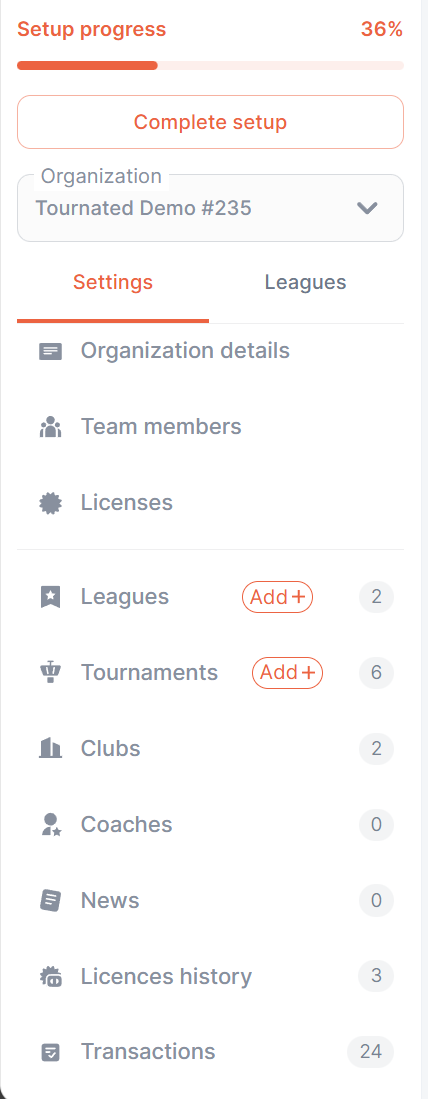
Management of organization details is handled in the left sidebar under the Organization dropdown. Note that a single user may be associated with multiple organizations (if added as a team member). In such cases, the organization can be switched using the dropdown.
Learn about Organization's management by clicking the link below:
{% content-ref url="/pages/ggaNGE9tl1UVlWbQUaFV" %}
[Organization's management](/tournated/tournated-portals/tournated-dashboard/organizations-management.md)
{% endcontent-ref %}
League
Leagues can be accessed in multiple ways:
* Through **My Leagues** in the navigation (top right corner).
* Through the **left sidebar** (next to Organization details).
* Through **Platform** or **Organization** tabs → Leagues.

Learn about League management by clicking the link below:
{% content-ref url="/pages/03fWXcS5XC5iGxLbUpC1" %}
[League / Tour management](/tournated/tournated-portals/tournated-dashboard/league-tour-management.md)
{% endcontent-ref %}
With this update, we have also finalized the Tournated Hierarchy System.
{% hint style="info" %}
**Hierarchy System**
The hierarchy system ensures structured management across different levels. For example:
* An **international federation** can grant access, retrieve data, and enable monetization for **national federations**.
* **National federations** can extend the same privileges to **clubs and leagues**.
* Each level has specific permissions and access rights, ensuring a **scalable** and **organized** structure.
{% endhint %}
And, of course, Tournated Analytics is now live - allowing sports organizations to easily track financial and statistical performance with various tables, charts, and filters.
{% content-ref url="/pages/A8h28gdxmapn0h3BNYGm" %}
[Analytics](/tournated/tournated-portals/tournated-dashboard/analytics.md)
{% endcontent-ref %}